
Tech Support Scams
Spot the warning signs of tech support scams and learn how to protect yourself. Never grant remote access or approve bank transactions for unsolicited callers claiming to fix your device.
Last updated 28 May 2026
Key takeaways
Legitimate tech companies such as Microsoft and Apple will never send pop-up alerts asking you to call a phone number for support.
Never download remote access applications at the request of an unsolicited caller, as this gives them full control of your device.
Mid-Year Scams and Cybercrime Brief 2024
How it works?
The fake alert
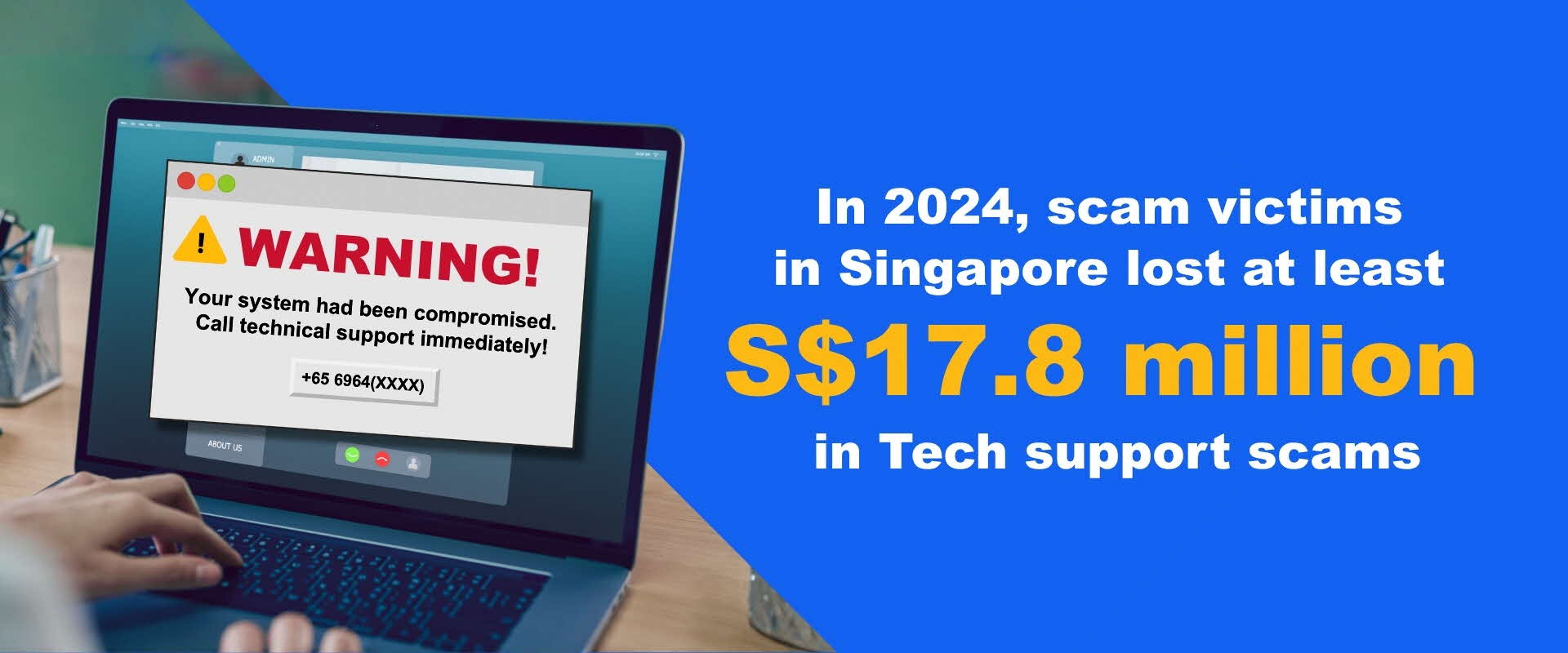
Victims would receive pop-ups on their laptops or desktops claiming that their electronic devices had been compromised. The pop-up alerts would contain contact number(s) for victims to call for technical support.
The number often appeared as a Singapore phone number (e.g. +653159(XXXX), 3159(XXXX), +656964(XXXX), 6964(XXXX)) to give victims the impression that they were calling a legitimate local helpdesk.The impersonation
When victims called the number(s), scammers would impersonate technical support personnel from reputable software providers such as Microsoft or Apple tech support employees.First, the scammers might claim that the victims’ computers had been compromised and instruct the victims to download remote access applications, such as ConnectWise, UltraViewer or AnyDesk. The scammers would claim that these actions were necessary to install firewalls on the victims’ devices.
Next, the scammers would instruct the victims to log into their bank accounts and that would allow the scammers to transfer the victim’s monies out to other bank accounts using their remote access, or ask victims to approve bank transactions using their digital tokens when the scammers encountered the bank’s request for authentication in order to effect the transfers.
Discovering the scam
Victims would subsequently realise that they had been scammed when they discovered unauthorised transfers or deductions from their bank accounts.
It is likely a scam if the tech support personnel:
Makes unsolicited calls, send emails or pop-ups offering tech support services suggesting your computer/device has an issue or infected with virus.
Demands for payments with bank transfers, gift cards or cryptocurrency
Request for your personal information (e.g., NRIC, personal banking details)
Urgently prompts you to install software or visit suspicious websites for system review.
Legitimate software companies will never include a helpline number in pop-up messages
How to stay safe?
ADD:
Anti-Malware – Ensure systems are protected by anti-malware, such as Microsoft Defender.
Configuration settings to your web browser to block pop-up windows by default. This reduces the likelihood of encountering malicious pop-ups.
Refrain from clicking on pop-up notices or links within them. These can lead to malicious websites or prompt downloads of harmful software. Consider the use of Microsoft Edge to benefit from Defender SmartScreen to block malicious downloads before they are downloaded.
CHECK:
Only seek technical support from reputable sources (eg. Official support sites bearing official contact methods). Avoid engaging with unsolicited offers for assistance that appear out of the blue.
If you’re unsure about the legitimacy of a pop-up notice, verify the issue through official channels. Contact your device manufacturer, software provider or trusted IT support for guidance.
Do not offer any information until you have ascertained legitimacy of the contact. Remember, reputable organizations do not reach out to you unsolicited.
Call the ScamShield Helpline (1799) to check if you are unsure.
TELL:
Warn your friends and family about your scam encounter.
Make a police report if you think you have fallen victim.
Encountered this scam? Here's what to do
If you have transferred money to a scammer, please visit this page for a list of immediate actions: I've Been Scammed!
Help keep the community safe by reporting any instances of this scam you’ve seen or experienced with the ScamShield App.