
Transact securely
Stay away from scams by transacting securely. Use tools like Money Lock, CPF Withdrawal Lock, ScamShield App, and more, to keep your bank and CPF savings safe.
Last updated 25 May 2026

Be wary when shopping on e-commerce sites
Stay alert and shop smart online with these tips:
Check the reviews of the seller
Always look out for potential tell-tale signs of scams when making online purchases.
Use the secured payment options offered by the platforms
Do not take transactions off platform, especially when making payment. A common scam tactic is to lure victims to messaging platforms such as WhatsApp or Telegram, and direct victims to make banks transfers for items.
Be wary of deals that seem too good to be true
Exercise caution when encountering heavily discounted or unrealistic deals, as they may be indicative of fraudulent activity.
Check the safety ratings of e-commerce platforms
Safeguard banking details and lower transaction limits
Falling prey to scammers can have significant repercussions, including financial loss, identity theft, and emotional distress, jeopardizing hard-earned money and financial stability. Prioritizing safe banking practices is essential to mitigate these risks and safeguard personal and financial well-being. Some ways to do so include:
Lowering your bank transaction limits,
Setting a low threshold for funds transfer transaction notifications, including for PayNow,
Staying alert to all transaction notifications so that any unauthorised payments are reported as soon as possible to increase the chances of recovery.
Adopting good digital banking hygiene practices

Add ScamShield App and security features (e.g. enable Two-Factor Authentication (2FA), Multifactor Authentication for banks).
Refrain from giving out personal information and bank details (such as your internet bank account usernames, passwords, OTP codes from tokens), whether on a website or to callers over the phone.
Activate the emergency self-service “kill switch” to suspend your bank account quickly if you suspect that your bank account has been compromised.
Enable Money Lock
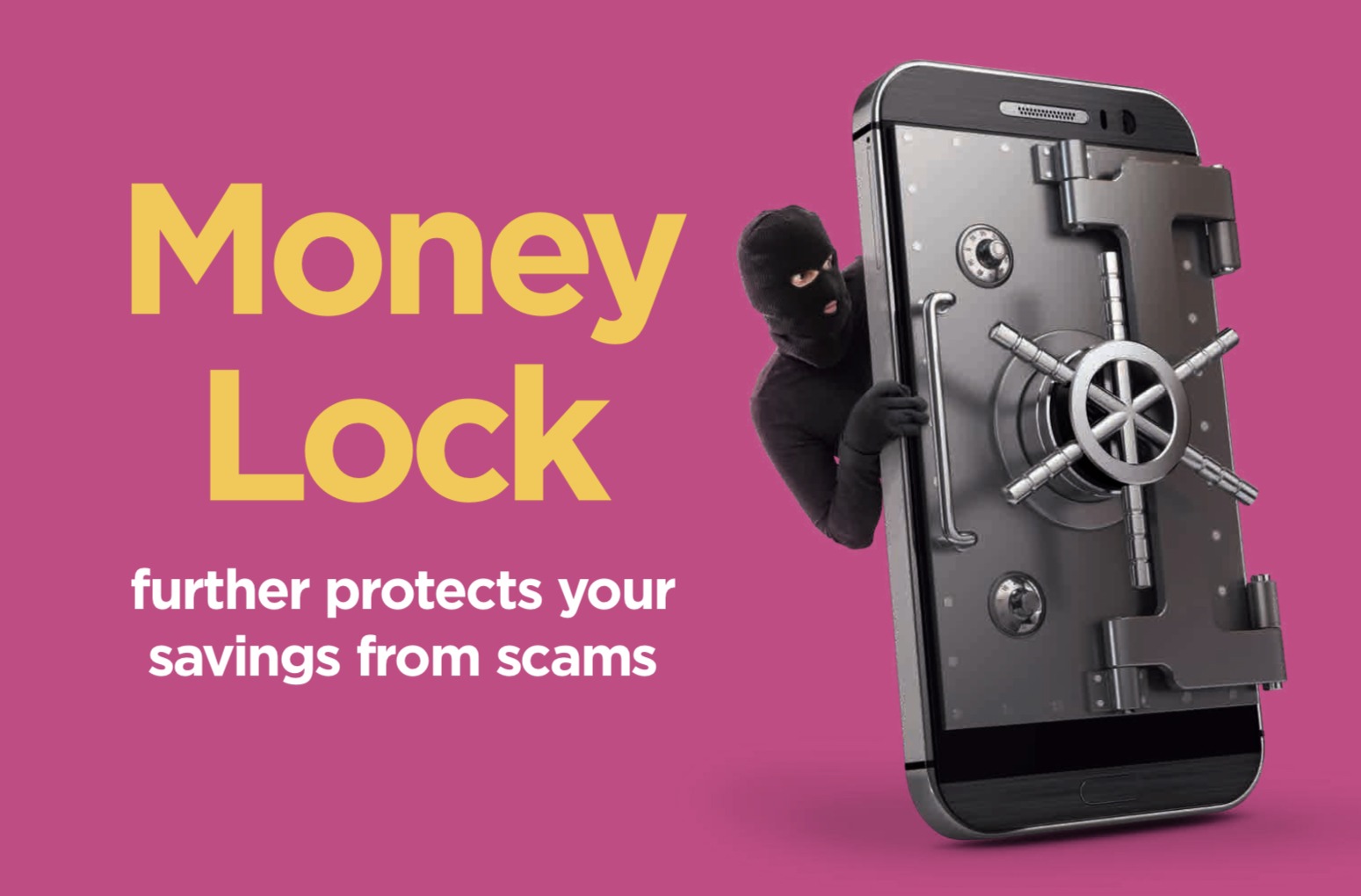
Money Lock secures a portion of your bank savings to further protect it against scams. Speak to your bank for more information on how to add Money Lock.
Click here to find out more about Money Lock.
CPF Withdrawal Lock and online Daily Withdrawal Limit
If you are aged 55 and above, the default online Daily Withdrawal Limit is automatically set at $2,000 per day.
If you have no immediate plans to withdraw your CPF savings, you are encouraged to safeguard your CPF savings by activating the CPF Withdrawal Lock to disable online withdrawals.
How to disable CPF online withdrawals
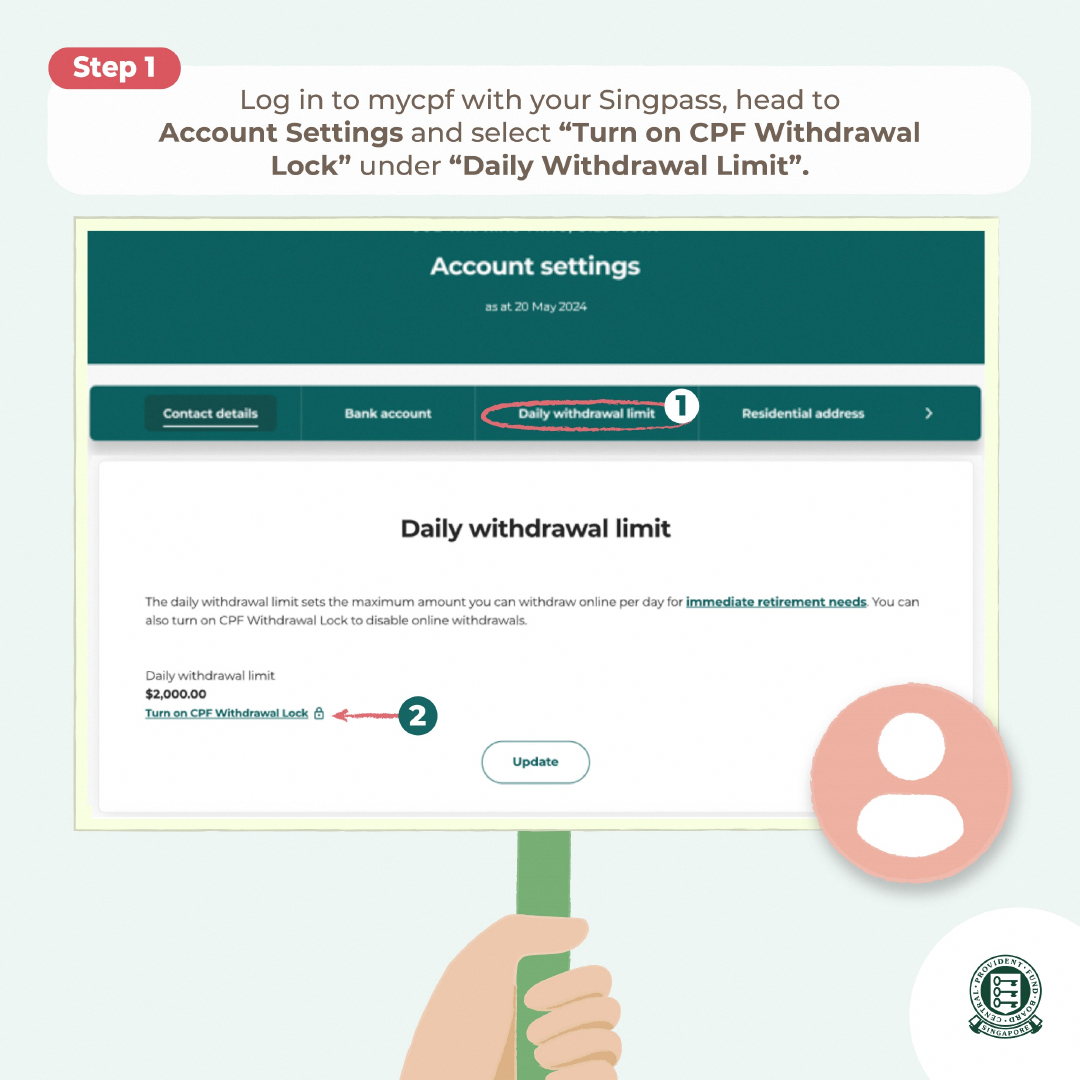
Step 1
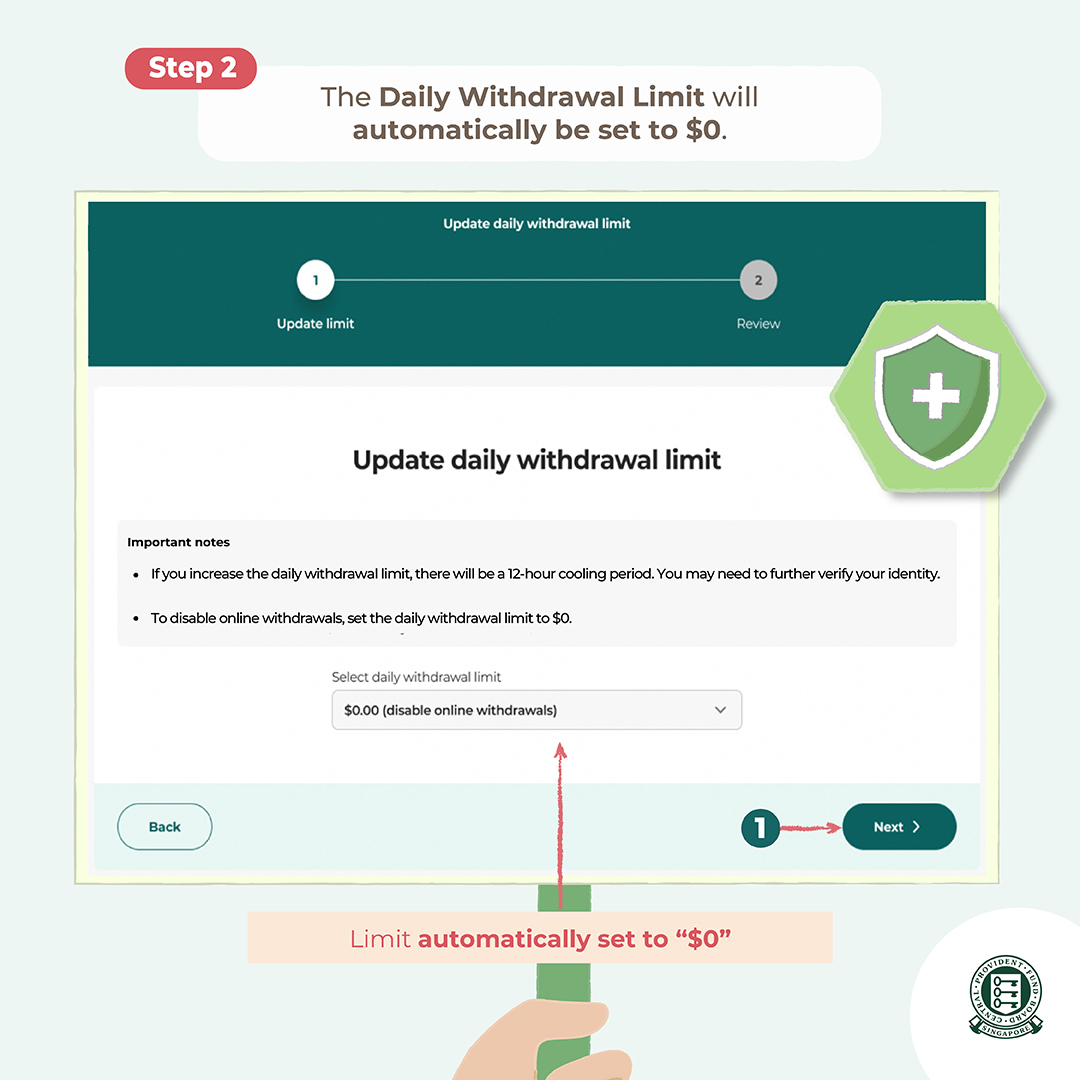
Step 2
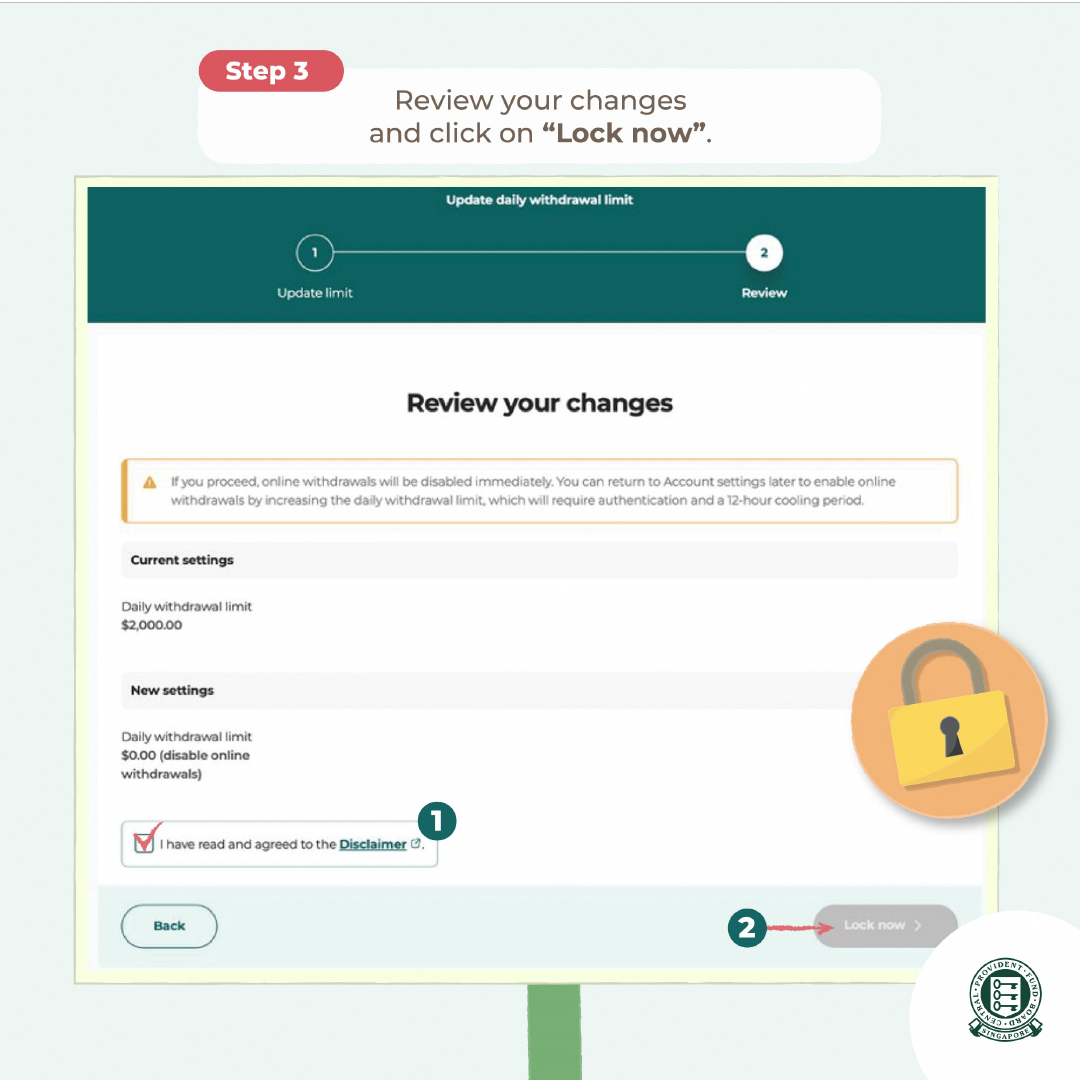
Step 3
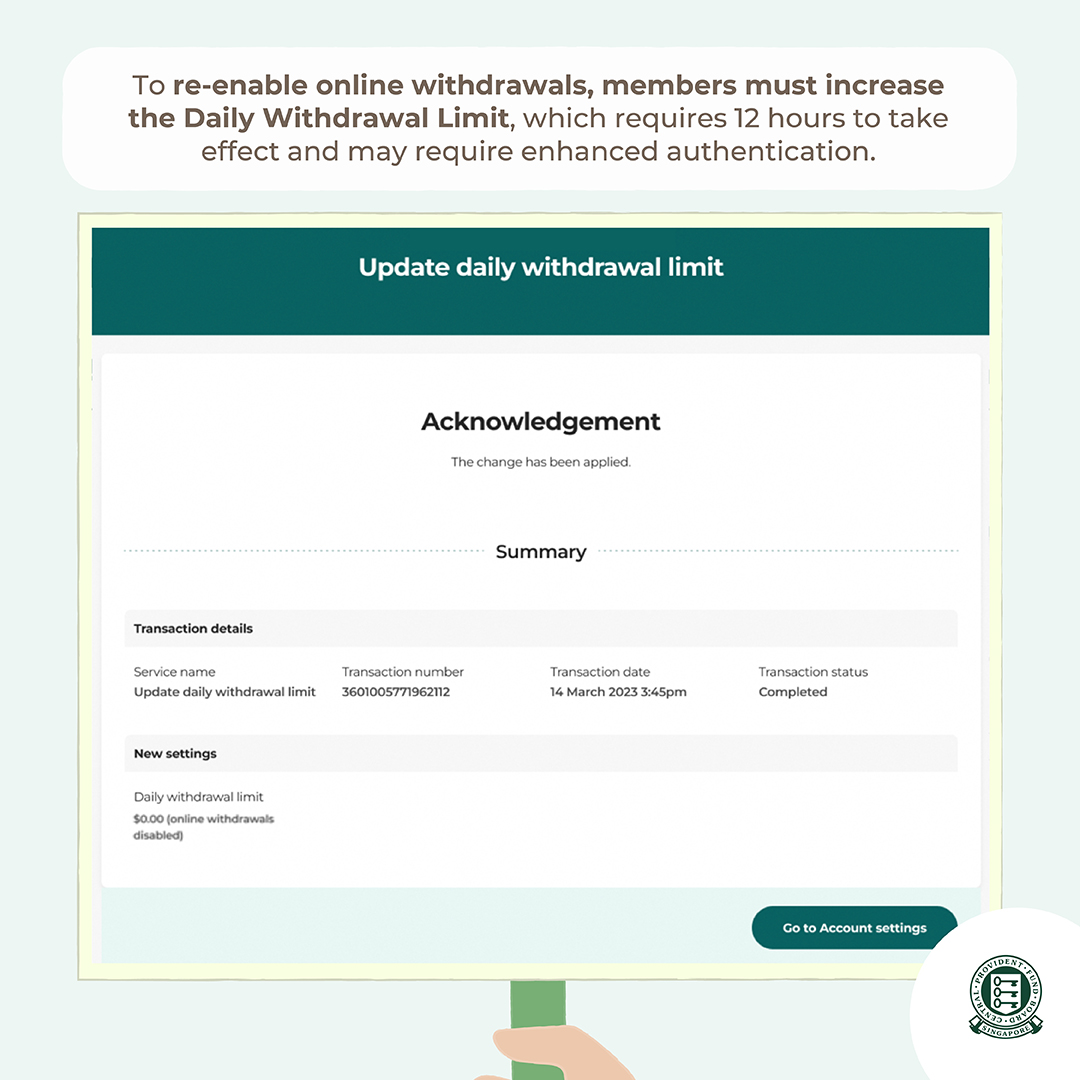
Step 4
The online Daily Withdrawal Limit and CPF Withdrawal Lock complement CPFB’s existing security measures, which include Singpass Two-Factor Authentication (2FA) and ensuring that your CPF savings can only be paid to bank accounts that are verified as belonging to you. You will also receive instant notifications of any CPF withdrawals and adjustments to your online Daily Withdrawal Limit or bank account details registered with CPFB.
Click here to find out more about CPFB’s anti-scam measures.
Activate CPF Safety Switch to immediately stop suspicious withdrawals
The CPF Safety Switch enables members aged 55 and above to immediately secure their CPF accounts if they suspect they have fallen victim to a scam.
How to activate the CPF Safety Switch?
To secure your CPF account immediately, call the CPF hotline at 1800-227-1188 to activate the CPF Safety Switch. Once activated, it will:
Disable access to CPF online services on the CPF website and mobile app
Stop in-progress withdrawals
Prevent all future withdrawals from the member's CPF account
For added security, it can only be deactivated in person at a CPF Service Centre or via the CPF hotline during operating hours.
Appoint Trusted Contacts to receive your CPF transaction notifications
With the new Trusted Contact notification service, CPF members aged 21 and above will have the option to appoint up to two Trusted Contacts who would receive a copy of the same notifications for important transactions, including lump sum withdrawals and updates to daily withdrawal limits.
How this protects CPF members?
This optional service provides members with an additional safeguard by enabling someone they trust, to help spot suspicious transactions and intervene promptly, without granting them access to your account details or make any transactions on your behalf.