
Secure your accounts
Protect your accounts with these 5 steps: use strong passphrases, enable 2FA, remove unknown linked devices, enable privacy settings, and check your SIM registrations.
Last updated 20 May 2026

Use Strong Passphrases
Passphrases are passwords, but longer and made up of a string of words. Strong passphrases are important for keeping your online accounts and personal information safe from cybercriminals.
How to set a strong passphrase?
Contain at least 12 characters.
Use five different words that relate to a memory that is unique to you. e.g. Learnt2RIDEabikeat5.
Use uppercase letters, lowercase letters, numbers and symbols to make it even harder to crack.
Avoid using passwords which are easy to guess, including your name, NRIC or birth date.
You can check the strength of your passwords via this link.
Enable Two-Factor Authentication (2FA)
2FA uses more than one type of information to identify who you are to grant you access to your online account.
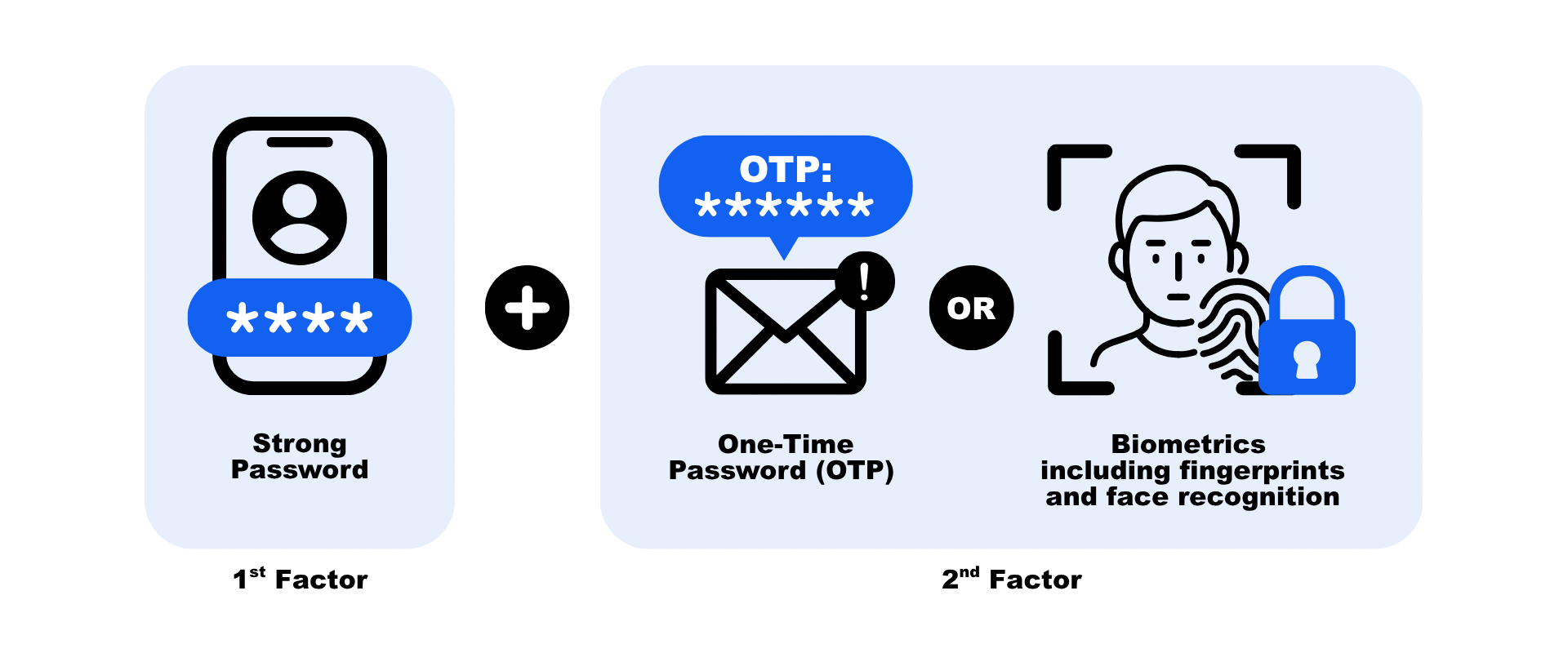
The first factor in 2FA is usually something that you know, such as a password, while the second factor is usually something you have, such as a One-Time Password (OTP) from a digital token or an SMS that is sent to your mobile device. Another form of authentication involves biometrics, which includes fingerprints and face recognition.
This second layer of security ensures that even if hackers obtain your password, your account is still protected if they are unable to get hold of the second factor.
You can easily set up two-factor authentication (2FA) for your social media accounts by following these links.
Remove unknown devices linked to WhatsApp and Telegram accounts
Do not provide sensitive information such as OTPs to anyone. If you suspect your WhatsApp or Telegram account has been compromised, remove unknown devices linked to your account by going to 'Settings' > 'Linked Devices'. Review the list and remove any device you do not recognise.
If you are locked out of your accounts, recover them by following these links.
Enable privacy settings
Users should carefully manage their privacy settings, avoid accepting friend requests or messages from unknown individuals, and refrain from sharing personal details with unfamiliar contacts.
Add privacy settings on messaging apps to avoid being added into random chatgroups by strangers. For WhatsApp and Telegram:
Go to in-app Settings
Tap on Privacy
Tap on Groups/Channels
Select “My Contacts”
Check your SIM card registrations
The Infocomm Media Development Authority (IMDA) has updated the postpaid SIM card limit to strengthen safeguards against misuse. Under these measures, each individual can only register up to 10 postpaid SIM cards in total across all telcos. The revised limit minimises illicit purchase and use of SIM cards, while catering to the needs of legitimate users.
To check how many postpaid SIM cards are currently registered under your name, visit go.gov.sg/SimCardHowMany