How to check for scams on ScamShield app
Learn how to use the ScamShield app to check if a suspicious number, message, or link is a scam before you act.
Last updated on 18 May 2026
Saw something suspicious? Check if it's a scam.
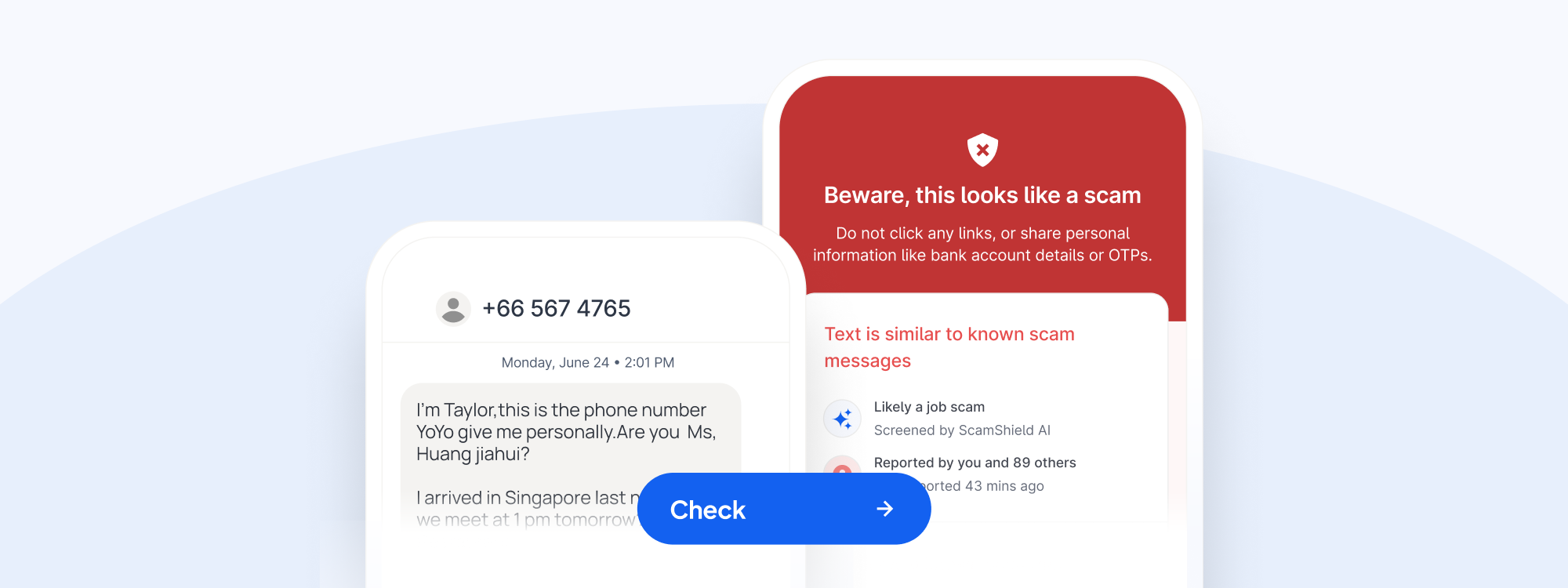
The enhanced ScamShield app uses an AI-powered classifier to help you identify potential scams. By submitting a number, message or link, ScamShield can:
Check if it's from a verified source like registered businesses and the government, and let you know it's safe
Check if it's similar to known scam messages, numbers or links previously identified by authorities, and let you know it looks like a scam
Let you know if other scam-spotters in the community reported the number or message too
Check before you act
Scammers rely on urgency and confusion to get you to act quickly without thinking. By taking a moment to check suspicious calls, messages, or links, you can ensure any transactions you're making are legitimate. Make it a habit to check suspicious things on the ScamShield app!
How it works
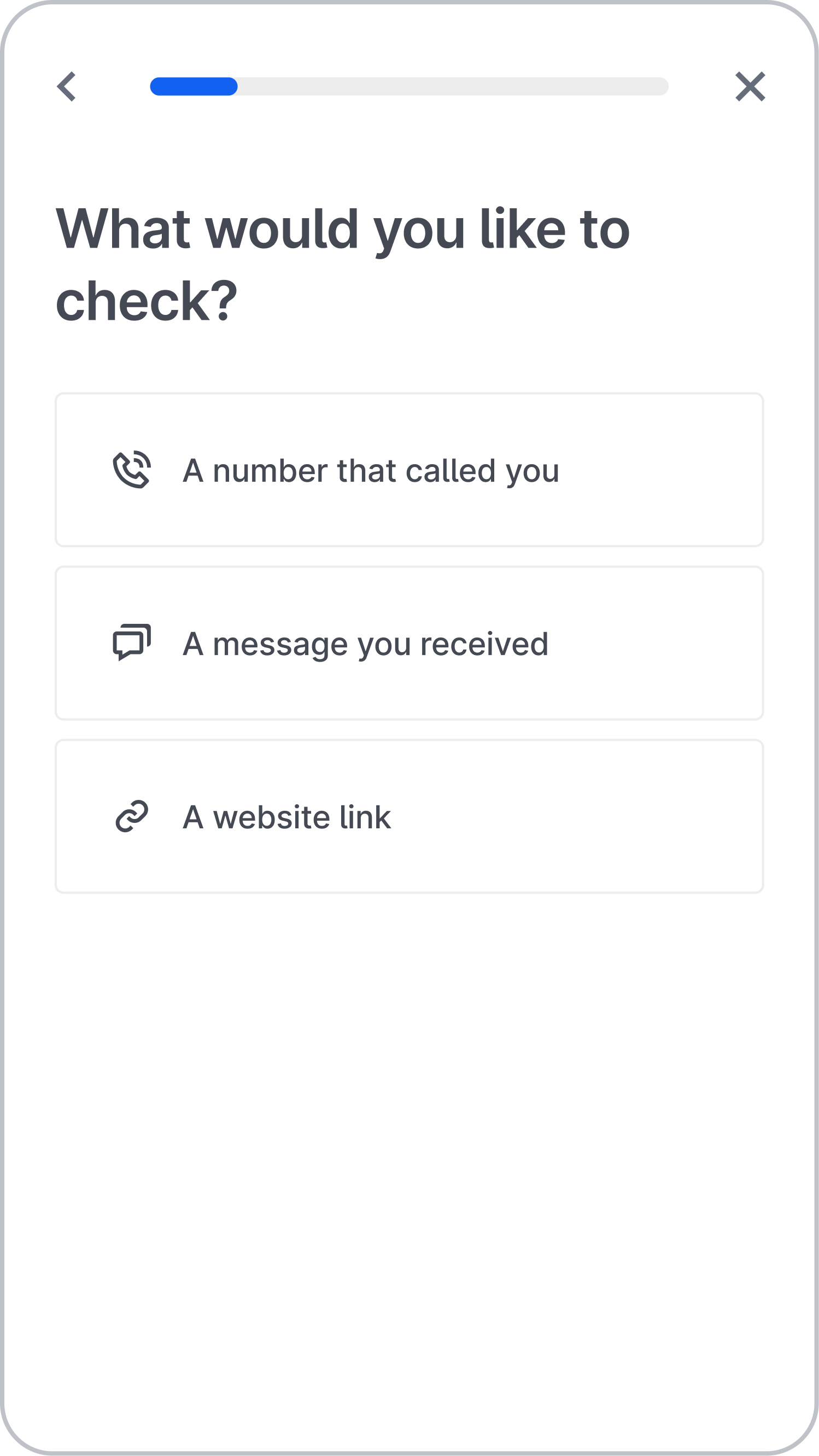
Let ScamShield know if you would like to check a number, message, or website link
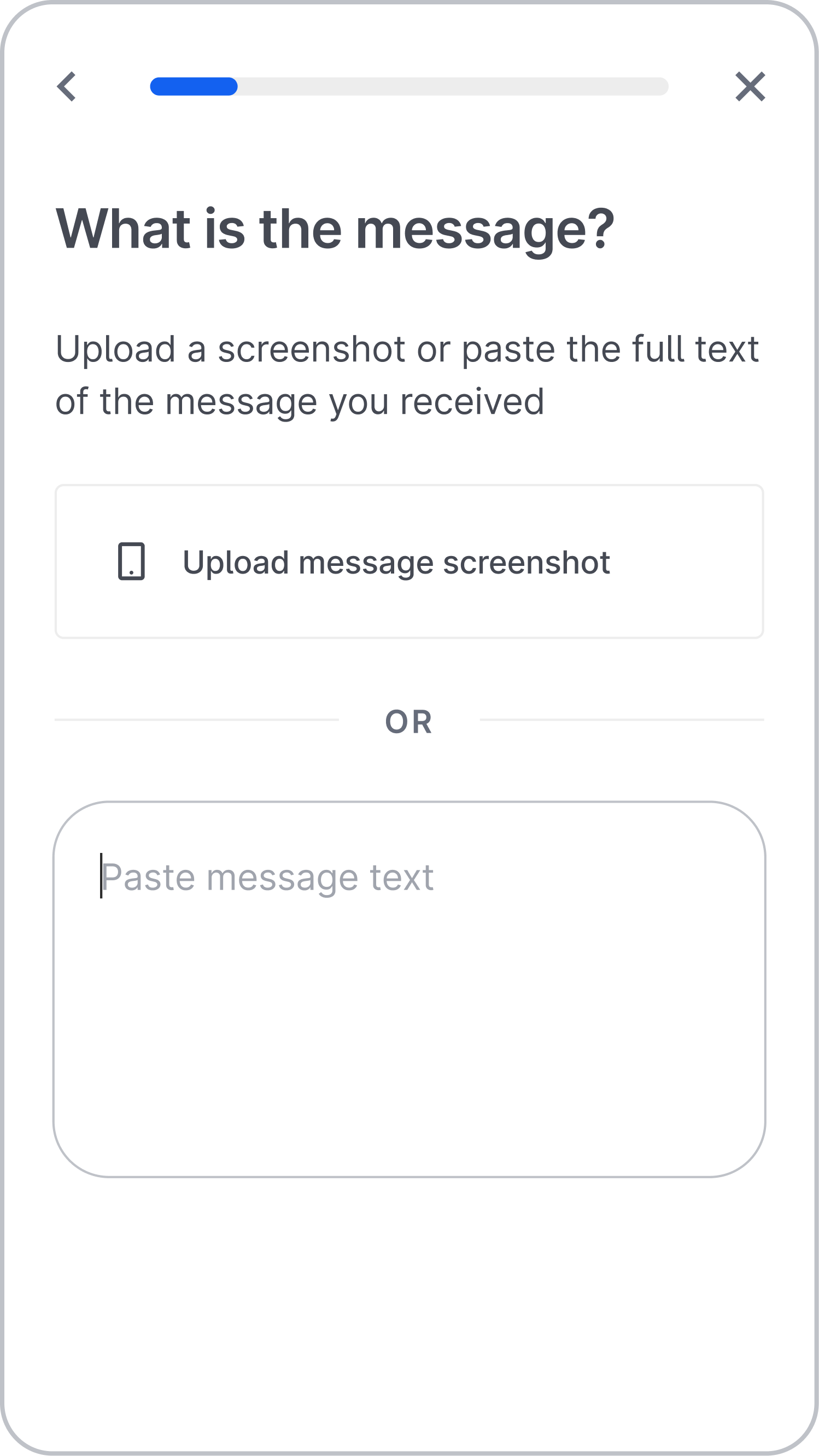
Enter the suspicious number, message, or link you want to check. For message checks, you can upload message screenshots from SMS, WhatsApp, and Telegram.
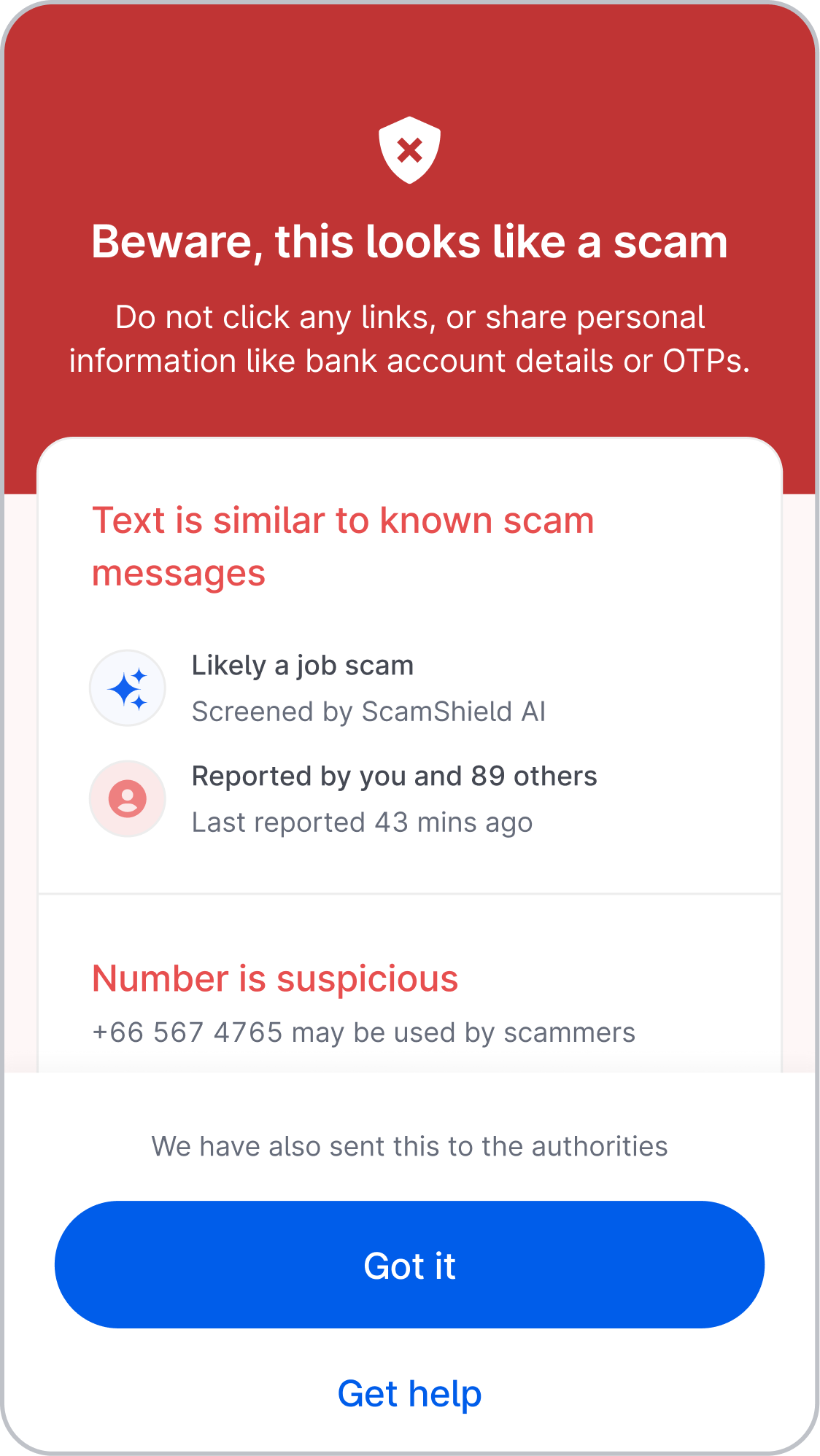
ScamShield's AI-powered checker will let you know if it's a scam or not. If it looks like a scam, ScamShield will also automatically report the relevant information to authorities to take action.
Please click here (opens in new tab) for more guidance and information.